
Industrial Remote Access Security Checklist for Machine Builders
Industrial automation architecture should be defined from the machine process, cycle time, I/O, motion, communication, maintenance and data requirements before individual part numbers are selected.
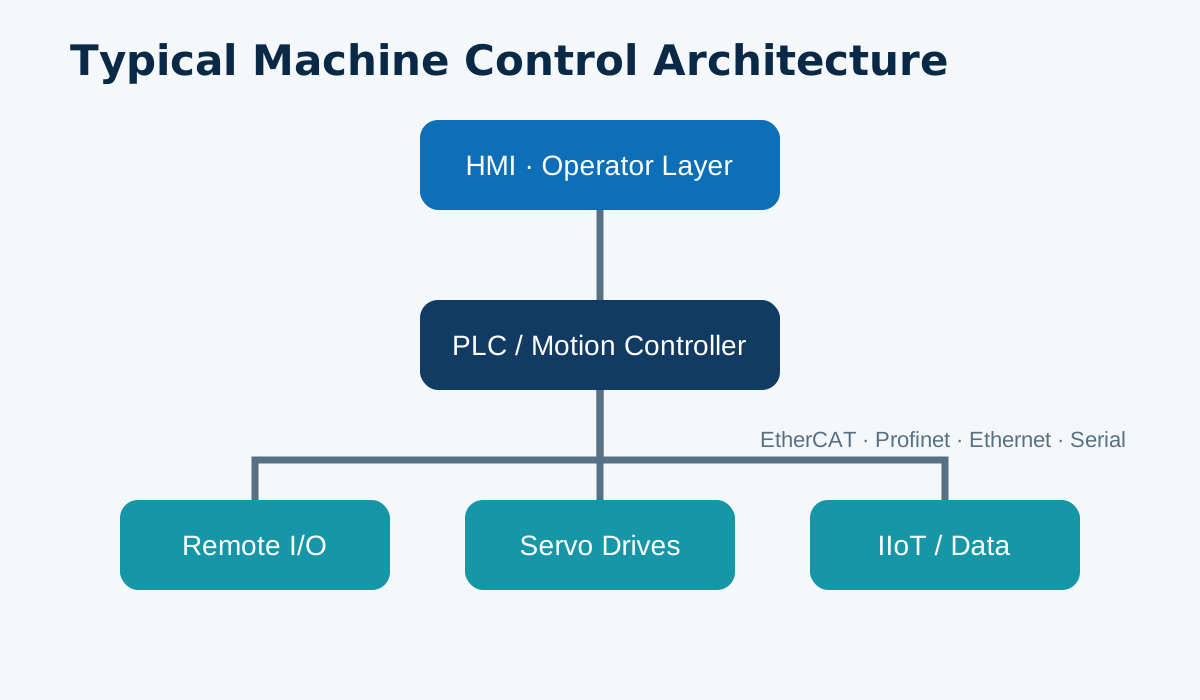
Direct engineering answer
Industrial automation architecture should be defined from the machine process, cycle time, I/O, motion, communication, maintenance and data requirements before individual part numbers are selected.
The practical method is to separate the problem into layers. First document the real machine conditions. Next identify the interfaces that cannot change without redesign. Then choose the control architecture and only after that select a product family and exact ordering code. This sequence prevents a common failure mode: a product appears compatible on paper but creates new work at the cabinet, software or commissioning stage.
Parameters that matter
| Process | Cycle time, sequence and operating modes |
|---|---|
| I/O | Sensors, actuators and distributed I/O |
| Control | PLC / HMI / servo architecture and communication |
| Maintenance | Diagnostics, backups, alarms and remote service |
Recommended engineering workflow
- Capture the installed condition. Photograph nameplates, connectors, cabinet layout and mechanical interfaces. Export current parameters or projects when available.
- Define the machine requirement. Record cycle time, operating modes, safety boundary, axes, I/O, protocols and maintenance expectations.
- Separate mandatory from optional functions. This makes replacement and cost optimization much safer.
- Verify interfaces. Check power, mounting, fieldbus, serial/Ethernet settings, digital/analog I/O and feedback.
- Plan commissioning and rollback. Keep backups, a test matrix and a recovery plan before changing a running machine.
Common mistakes
- Comparing only screen size, motor power or product family name.
- Assuming two devices using the same protocol have identical configuration and diagnostics.
- Ignoring connector orientation, cabinet depth and cable bend radius.
- Changing several control layers at the same time without a rollback plan.
- Using a replacement table as a purchase approval instead of an engineering starting point.
Project checklist
- Exact old and candidate model suffix
- PLC/controller and engineering software version
- Protocol, network settings and I/O map
- Mechanical installation and cabinet clearance
- Required functions and machine operating modes
- Quantity, destination and documentation requirement
Frequently asked questions
Can this decision be made from one specification?
No. Industrial automation selection is a system decision involving mechanics, control architecture, communication, installation and maintenance.
What information should be prepared before contacting an engineer?
Provide current model numbers, controller, protocol, machine application, cycle time or motion requirement, quantity and destination.
Should a replacement be treated as plug-and-play?
No. A replacement must be verified mechanically, electrically, in communication/software and during commissioning.
Next step
Send the current model, machine application, controller/protocol, quantity and destination to Trompeter-Tech. We will use the information to verify the correct FLEXEM product direction before quotation.